
Saving changes
How changes are saved together, what happens when one can't be saved, and why a product is never half saved.
Edits in the grid aren't saved as you type. They're collected, highlighted in yellow, and saved together when you click Save changes.
Save or discard
The bar at the bottom of the grid shows how many changes are waiting:
- Save changes saves them all. A notice at the top says how many changes were saved to how many products.
- Discard throws them all away, and the cells go back to their saved values.
If you try to leave the screen, change page, filter, sort or search with unsaved changes, Gridline asks first.
How each product is saved
Gridline saves product by product. For each product, it:
- applies all of its changed cells,
- checks them together (for example, the sale price against the regular price, even if you changed only one of them),
- saves the product once, through WooCommerce.
Because it goes through WooCommerce, everything that happens when you click Update on the product screen happens here too: the active price follows the sale price, stock status follows the quantity, a variable product's price range is updated, and other plugins that react to product saves (feeds, search indexes, stock sync) are told about the change.
When a change can't be saved
Some changes aren't valid, for example:
- a sale price that isn't lower than the regular price,
- a SKU another product already uses,
- a price or quantity that isn't a number,
- an empty product name.
Such a cell turns red and shows the reason underneath. That product isn't saved at all, so it's never left half changed; its other changed cells stay yellow, waiting. Every other product is saved as usual.
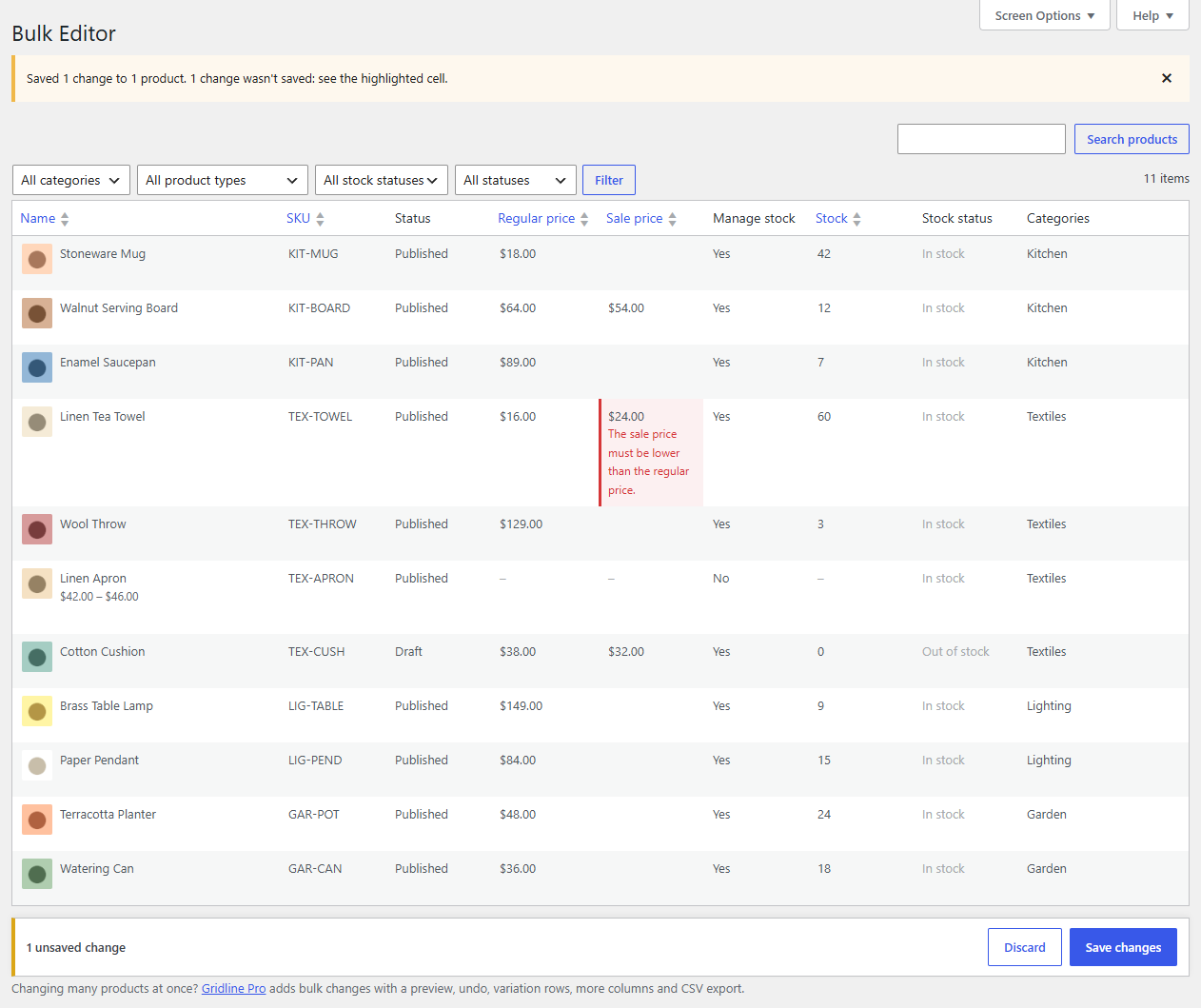
Fix the red cell (or press Discard) and click Save changes again.
Who can save what
Saving needs permission to edit products, and Gridline also checks each product: if you aren't allowed to edit a particular product, its changes are refused with "You can't edit this product."
Undo
Gridline itself doesn't keep a history of saves: check your changes before you save them. To put back an earlier value, edit the cell again. Gridline Pro keeps the last 500 saves and can undo any of them.