
Sold-out styles
Show out-of-stock swatches crossed out, blurred or hidden, and leave out sold-out values when WooCommerce hides out-of-stock items.
Note
This is part of Swatchline Pro.
Swatchline crosses out swatches that can't be bought: out of stock, or no such variation with the other choices. Swatchline Pro lets you choose how out-of-stock swatches look, on the product page and in the shop.
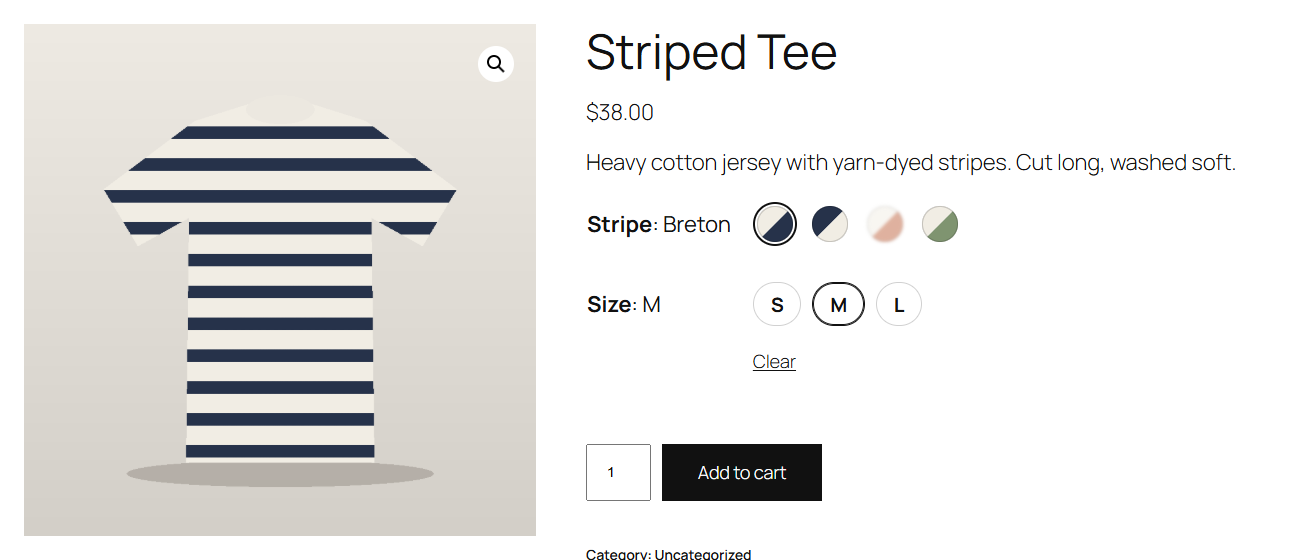
The styles
Under WooCommerce → Settings → Products → Swatches → Sold-out swatches:
| Style | Looks like |
|---|---|
| Crossed out | Dimmed with a diagonal line, as in Swatchline (the default) |
| Blurred | Soft and faint, without the line: the colour is still recognisable, but clearly not on offer |
| Hidden | Not shown at all while the other choices make it sold out |
Values that don't exist with the other choices ("Not available with your other choices") stay crossed out in every style, so customers can see what the product does come in.
Whatever the style, sold-out swatches can't be chosen, and screen readers still hear "Out of stock".
Hide out of stock items
With WooCommerce's Hide out of stock items from the catalog on (WooCommerce → Settings → Products → Inventory), Swatchline Pro leaves out values that have nothing in stock at all: a colour sold out in every size isn't shown on the product page or in the shop.