
Installing Rateline Pro
Upload the Rateline Pro zip, activate it next to Rateline, and enter your license key.
Note
This is part of Rateline Pro.
Rateline Pro is an add-on: it adds to the Table rate method that Rateline provides, and Rateline stays installed and keeps doing everything else. You need both.
Before you start
- WooCommerce and Rateline 1.0.0 or later, installed and active. If you don't have Rateline yet, install it from Plugins → Add New Plugin (search for "Rateline"); see Installation.
- The rateline-pro.zip file and the license key from your purchase email. Both are in the email Lemon Squeezy sent after you bought Rateline Pro.
Install and activate
- Go to Plugins → Add New Plugin and click Upload Plugin at the top.
- Choose
rateline-pro.zipand click Install Now. - Click Activate Plugin.
WordPress won't activate Rateline Pro while Rateline or WooCommerce is inactive; it lists what's missing instead. Activate those first.
Enter your license key
Back on the Plugins screen, there's a box under Rateline Pro:
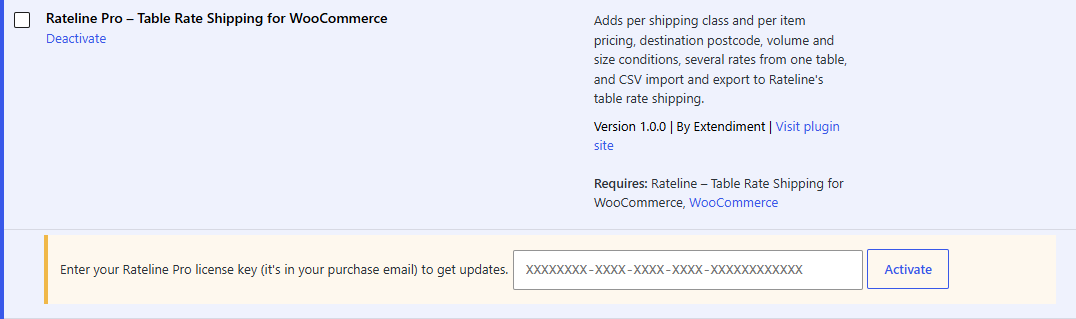
- Paste the license key from your purchase email.
- Click Activate.
The box turns green and shows the end of your key and, for a yearly license, the date your updates run until. The key activates Rateline Pro on this site only; see Licenses and updates for moving it to another site.
Note
The features work as soon as the plugin is active, with or without a license. The license is what lets WordPress download updates.
Check it works
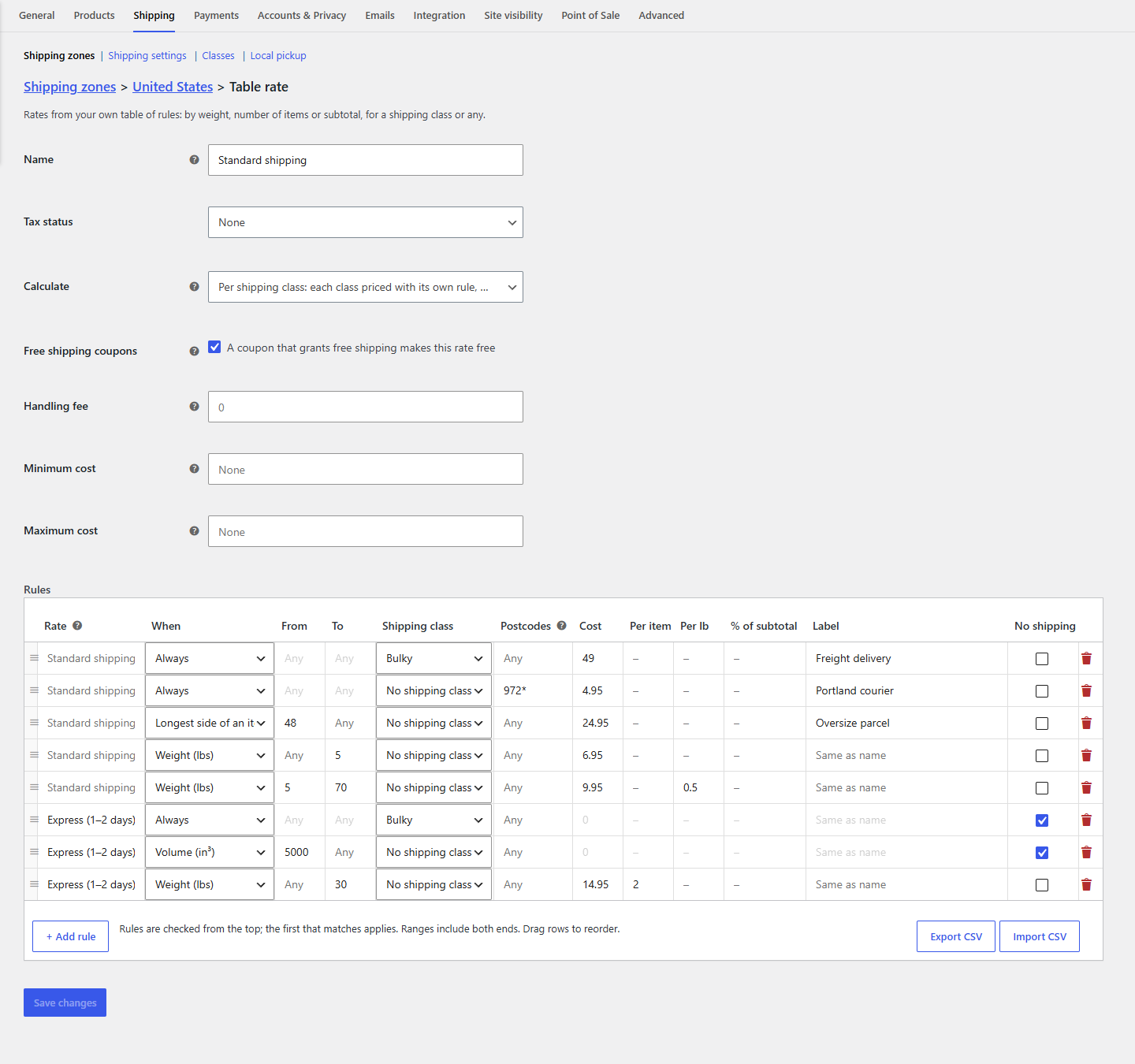
Go to WooCommerce → Settings → Shipping, open a zone and click Edit under a Table rate method. With Rateline Pro active you'll see:
- a Calculate setting under the tax status: per order, per shipping class or per item
- Rate and Postcodes columns in the rules table
- Volume and Longest side of an item in each rule's When list
- Export CSV and Import CSV at the bottom of the table
While Rateline Pro isn't active
Your tables are unchanged. Rateline keeps them and, until Pro is active, skips what it can't apply and says so on the settings page. As soon as Rateline Pro is active again, every table applies in full, with nothing to re-enter.