
Free, labelled and no-shipping rules
Make shipping free over an amount, show a rule's own name at checkout, or stop the method for orders you don't ship.
Besides a price, a rule can change what customers see, or switch the method off.
Free shipping over an amount
Add a rule near the top:
| When | From | Cost | Label |
|---|---|---|---|
| Subtotal | 150 | 0 | Free shipping |
Orders of $150 or more get the rate for free, shown as "Free shipping". Put it below any rule that should still apply to big orders, such as a no-shipping rule for heavy ones.
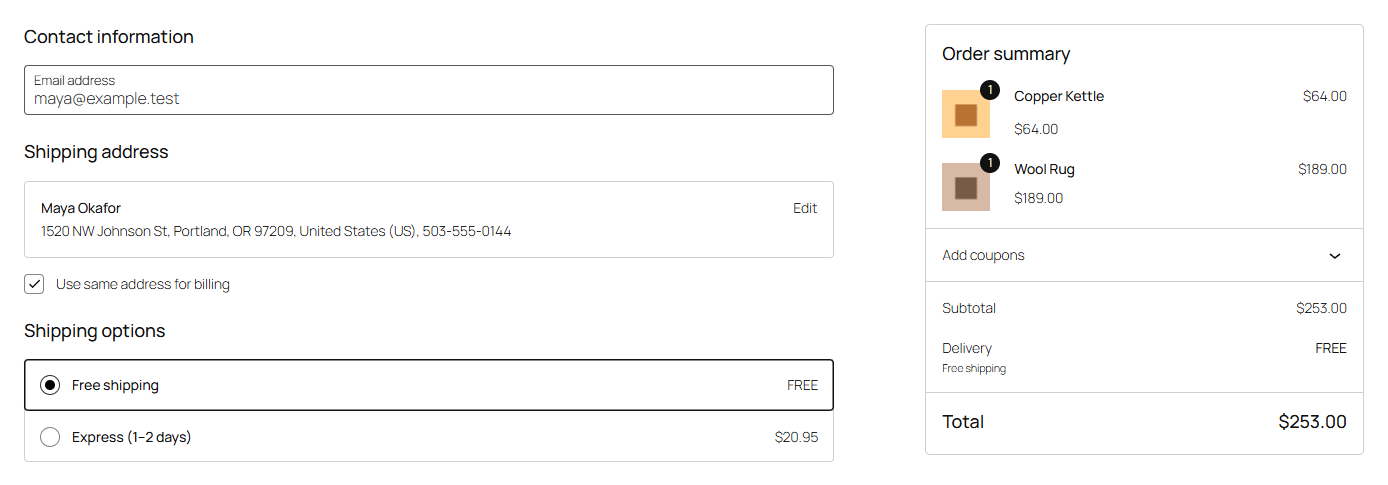
The subtotal is after coupons, so a coupon can take an order below the threshold. That matches how customers read "free shipping over $150".
A rule's own label
Whatever a rule costs, its Label replaces the method's name at checkout for the orders it matches. Use it to explain the price:
- "Freight delivery" on a rule for bulky items
- "Free shipping" on a free rule
- "Heavy parcel" on the top weight band
Leave it empty to show the method's Name.
No shipping
Tick No shipping and the method isn't offered for orders that rule matches. The cost fields are greyed out, as they don't apply.
| When | From | Shipping class | No shipping |
|---|---|---|---|
| Weight | 70 | Any | ✓ |
| Always | Oversize | ✓ |
Put no-shipping rules at the top, so a cheaper rule further down can't match first.
If another method in the zone (a second Table rate, or WooCommerce's Flat rate or Local pickup) still applies, customers choose that. If none does, the checkout shows WooCommerce's "no shipping options" message, so customers know to contact you.