
Destination postcodes
Limit a rule to some destination postcodes, with exact codes, wildcards and ranges, for local delivery or remote surcharges.
Note
This is part of Rateline Pro.
With Rateline Pro, each rule has a Postcodes column. Leave it empty and the rule applies to any destination, as before. Fill it in and the rule only matches orders shipping to one of those postcodes.
Writing postcodes
Separate postcodes with commas. Each can be:
| You type | Matches |
|---|---|
90210 |
Exactly 90210 |
902* |
Anything starting with 902: 90210, 90291 … |
90000...90999 |
Anything from 90000 to 90999 |
SW1A* |
SW1A 1AA, SW1A 2AB … |
M5V...M5Z |
M5V, M5W, M5X … (letters are compared alphabetically) |
Case and spaces don't matter: sw1a 1aa matches SW1A1AA. When both ends of a range are numbers, it's compared as numbers; otherwise alphabetically. Rateline Pro saves the list tidied up: upper case, comma separated, without repeats.
A rule with postcodes doesn't match an order without a postcode, such as a cart where the customer hasn't entered one yet.
Local delivery
Put a postcode rule at the top so it wins for nearby addresses:
| Postcodes | Cost | Label |
|---|---|---|
| 972* | 4.95 | Portland courier |
| 6.95 |
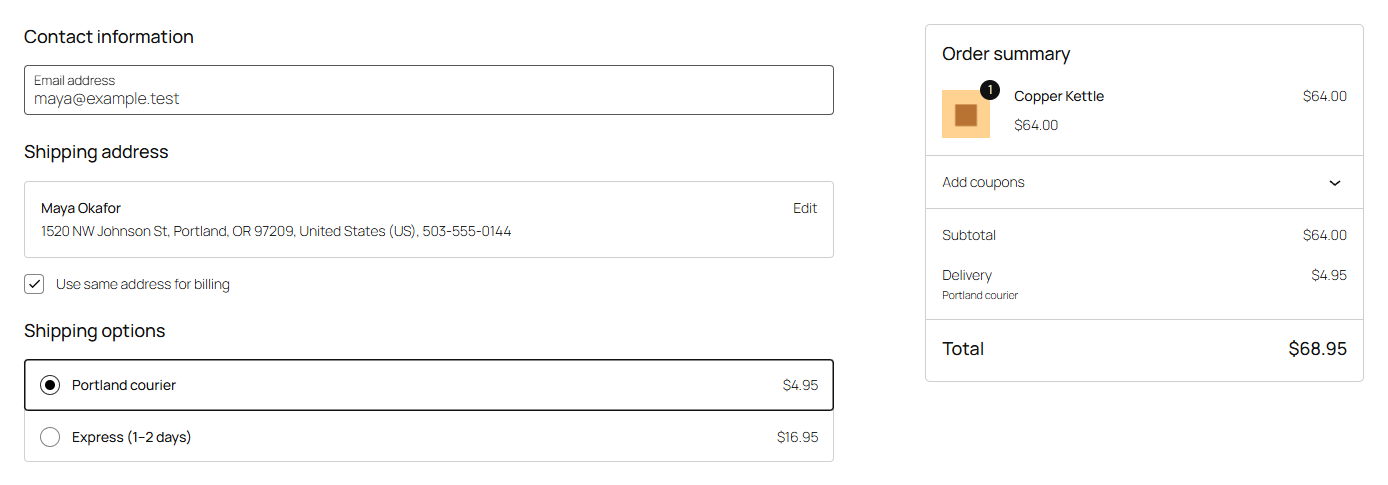
Customers in Portland see "Portland courier" for $4.95; everyone else pays $6.95 under the method's own name.
Remote surcharges, or no delivery
The same works the other way round:
| When | Postcodes | Cost | No shipping |
|---|---|---|---|
| Always | 99500...99999 | 24.95 | |
| Always | 96799 | ✓ | |
| Weight up to 5 | 6.95 |
Postcodes or zones?
WooCommerce's shipping zones can also be limited to postcodes. Use zones when everything about shipping is different for an area (other methods, other tables). Use postcode rules when it's the same table with a few exceptions, so you keep one table to look after.
Note
Without Rateline Pro, Rateline can't check postcodes: rules with postcodes are skipped, and the next rule that matches applies. See Troubleshooting.