
Installation
Install Packboard from WordPress.org, open the fulfillment board and ship your first batch of orders.
Packboard is free and listed on WordPress.org, so you can install it straight from your dashboard.
Requirements
- WordPress 6.5 or later and PHP 7.4 or later.
- WooCommerce 8.2 or later, installed and active. Packboard won't activate without it.
- Either order storage: High-Performance Order Storage (the default for new stores) or the older posts storage.
Install the plugin
- Go to Plugins → Add New Plugin and search for Packboard.
- Click Install Now on "Packboard – Order Fulfillment Board & Packing Slips for WooCommerce", then Activate.
If you have the zip file instead, use Plugins → Add New Plugin → Upload Plugin, choose the file, then Install Now and Activate.
There's nothing to set up. Packboard adds two screens under the WooCommerce menu:
- Order Grid: every order in a fast list, with inline and bulk status changes.
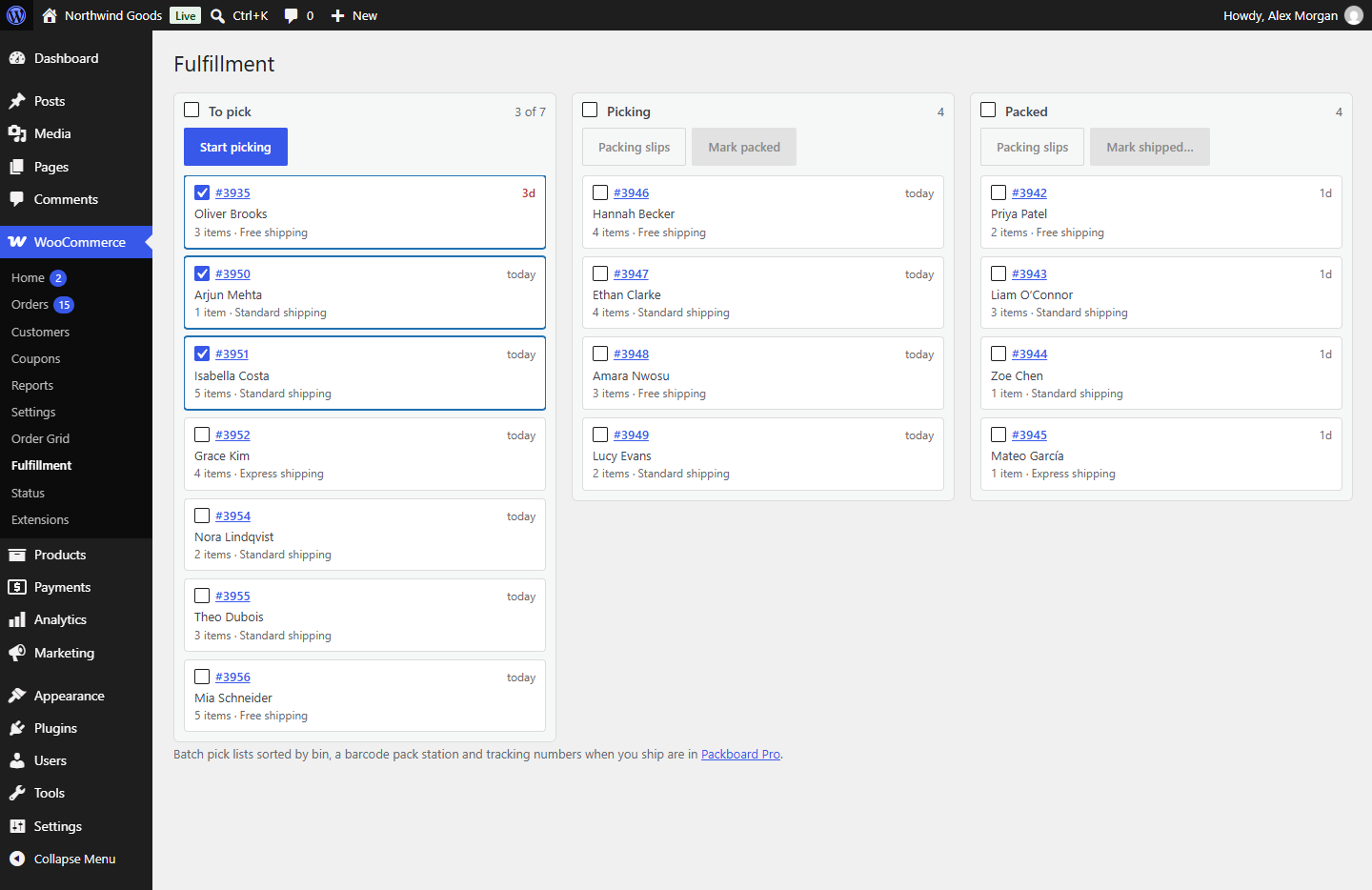
- Fulfillment: the board your paid orders move across until they ship.
Who can use them: anyone who can edit WooCommerce orders, which by default means Administrators and Shop managers.
Ship your first batch
- Open WooCommerce → Fulfillment. Every order in Processing is on the board, in the To pick column, oldest first.
- Tick the orders you're about to pick and click Start picking. They move to Picking.
- With them still selected in Picking, click Packing slips and print the slips that open in a new tab.
- Pack the orders, then select them and click Mark packed.
- In Packed, select what's going out and click Mark shipped…, then Ship and complete.
The shipped orders are now Completed in WooCommerce, and each customer gets WooCommerce's "Completed order" email.
Tip
You don't have to use every stage. A small shop can select orders in To pick, drag them straight to Packed, and mark them shipped from there.
What's next
- The fulfillment board covers selecting, dragging and the overdue flags.
- Shipping orders explains what Mark shipped does to the order and the customer's email.
- Packing slips and The order grid cover the other two tools.