
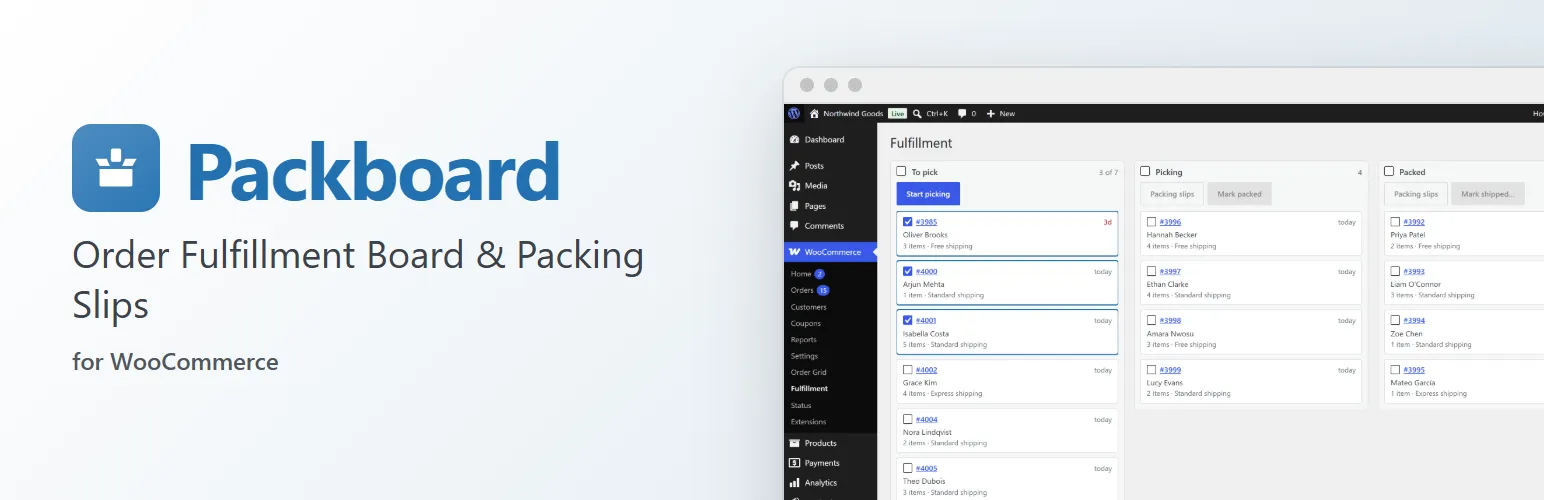
WooCommerce's order list tells you what was bought. Packboard is for the people who have to get it out the door.
Fulfillment board
Every paid (Processing) order moves through To pick → Picking → Packed → Shipped:
- Select a batch and move it with one button, or drag cards between stages. Dragging a selected card takes the rest of the selection with it.
- Each card shows the order number, customer, item count, shipping method and how long the order has been waiting. Orders waiting three days or more are flagged in red.
- Orders are listed oldest first, so the queue is worked first in, first out.
- Mark shipped asks once, then completes the orders, so customers get WooCommerce's own "Completed order" email.
Stages are stored on the order, not as extra order statuses, so reports, emails and other plugins keep seeing a normal Processing order until it ships.
Packing slips
One per page, with the shipping address, order number, date, shipping method, items with SKUs and quantities, a tick box per line and any customer note. Print them for a batch from the board or for any selection on the order grid.
Order grid
A fast, spreadsheet-style order list on one screen: filter by status, search by name, email or order number, select rows (Shift-click for a range) and change their status inline or in bulk.
Works with your other plugins
Other plugins can add a column before To pick for orders that wait outside the flow, and add labels to cards. Preorderline adds a "Pre-ordered" column you release orders from, and Slotline shows each order's delivery date and time slot, soonest first.
For developers
packboard_board_lanesadds a column before To pick, with its own orders and action.packboard_card_tagsandpackboard_card_sortlabel cards and set their order in a column.packboard_ship_orderruns for each order as it's marked shipped, before it completes.packboard_print_documents,packboard_admin_pagesandpackboard_enqueue_pageadd printable documents and screens, and thepackboard.boardActions,packboard.cardLinks,packboard.shipDialogandpackboard.gridActionsJavaScript filters (wp.hooks) extend the board and grid.packboard_loadedfires once Packboard has loaded, for add-ons.- REST API under
packboard/v1.
Packboard Pro
For stores that pick from shelves and ship with tracking, the separate Packboard Pro add-on adds batch pick lists sorted by bin location, a barcode pack station that catches wrong or missing items, and carrier and tracking numbers when you mark orders shipped, with the tracking link in the customer's email and account and support for WooCommerce's Order Fulfillments. Everything described above works without it. See extendiment.com/plugins/packboard.